Access Inbound To Center
Overview
Dock users need to know the loads in route to their center to plan their management accordingly. The Inbound To Center tile show the loads in route to the user's center, allowing them to plan in advance.
Process
To Access To Inbound To Center:
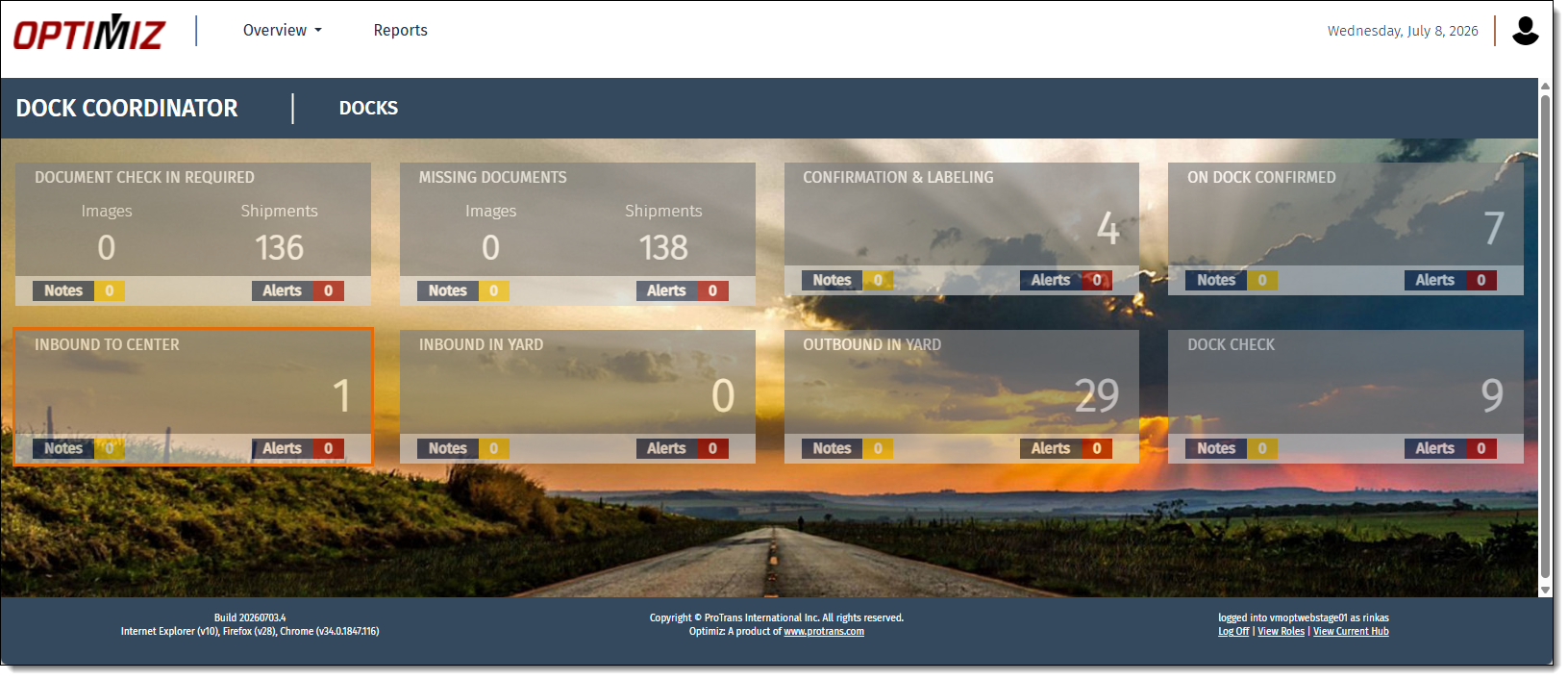
- Open the My Dock Dashboard. See Access My Dock Dashboard for details.
- Click Inbound To Center.
Result
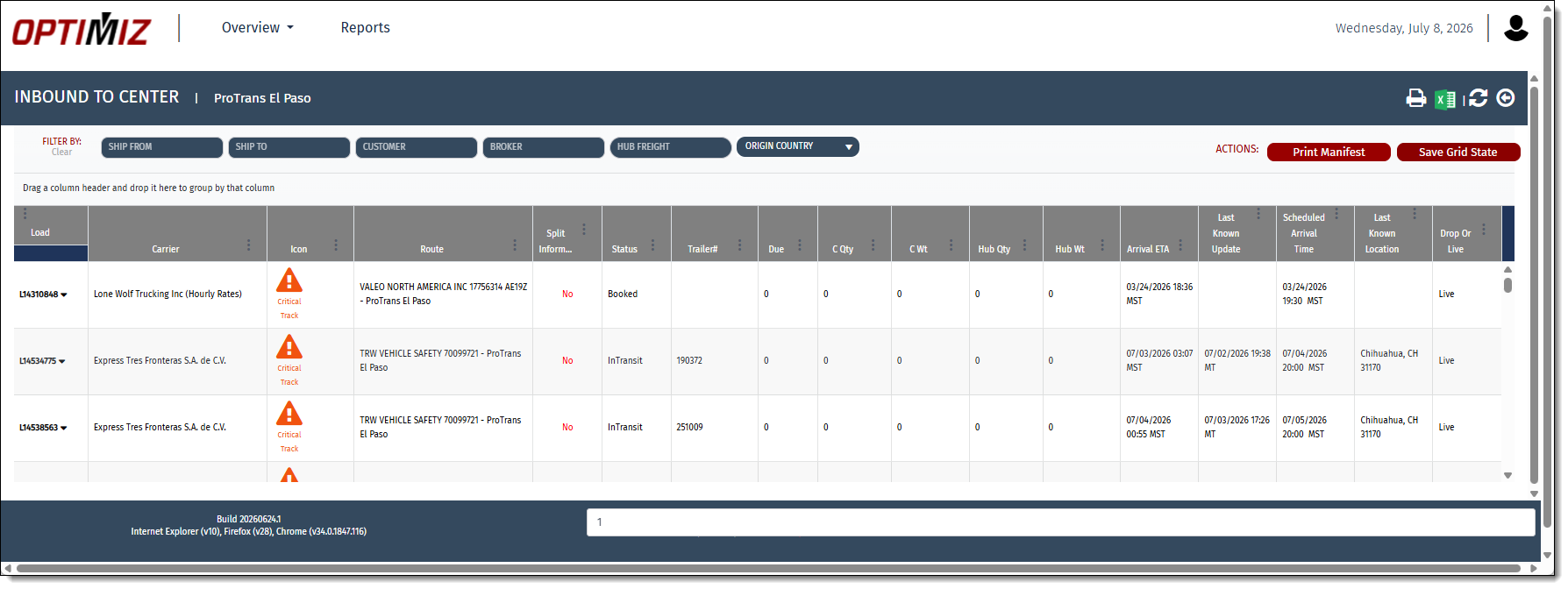
The Inbound To Center page opens, and all inbound trailers are shown in the results grid.
Next Steps
Now that you have accessed the Inbound to Center tile, you might need to: