Review Shipments on an Inbound Load

Overview
Facility team members can use the Inbound to Center tile to review shipments riding on loads coming to their center. This lets them better plan the resources needed to handle inbound loads.
Process
To Review Shipments on an Inbound Load:
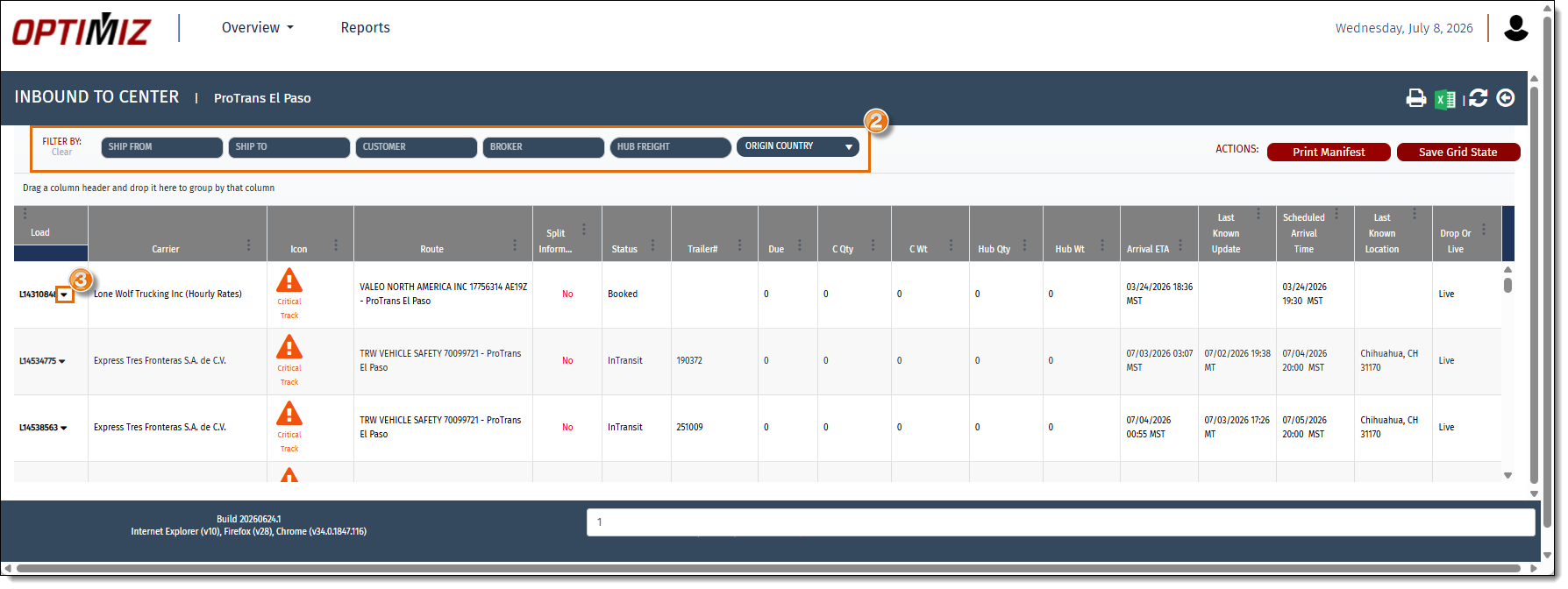
- Access the Inbound to Center tile.
- Filter the results using the filter options, if needed.
- Click the caret beside the load number of the load to be reviewed.
Result
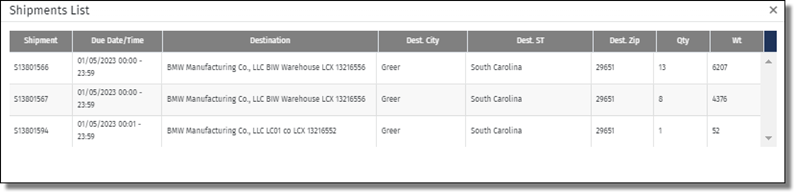
A popup window opens that lists the shipments riding on the selected load.
Related Topics