Print Pickup Lists

Overview
Pickup Lists (PUL) contain parts and packing information for each shipment. This information includes shipper, destination, trip ID, primary and secondary container information, and load ID, among others.
- Carriers can print the most recent copy of the pickup list via the Carrier Portal.
- More than one PUL may be printed at a time.
Any PUL that is printed more than 24 hours prior to shipment will have a watermark denoting it as a draft.
Processes
To Print a PUL:
- Access the Carrier Portal. See Log In to the Carrier Portal for details.
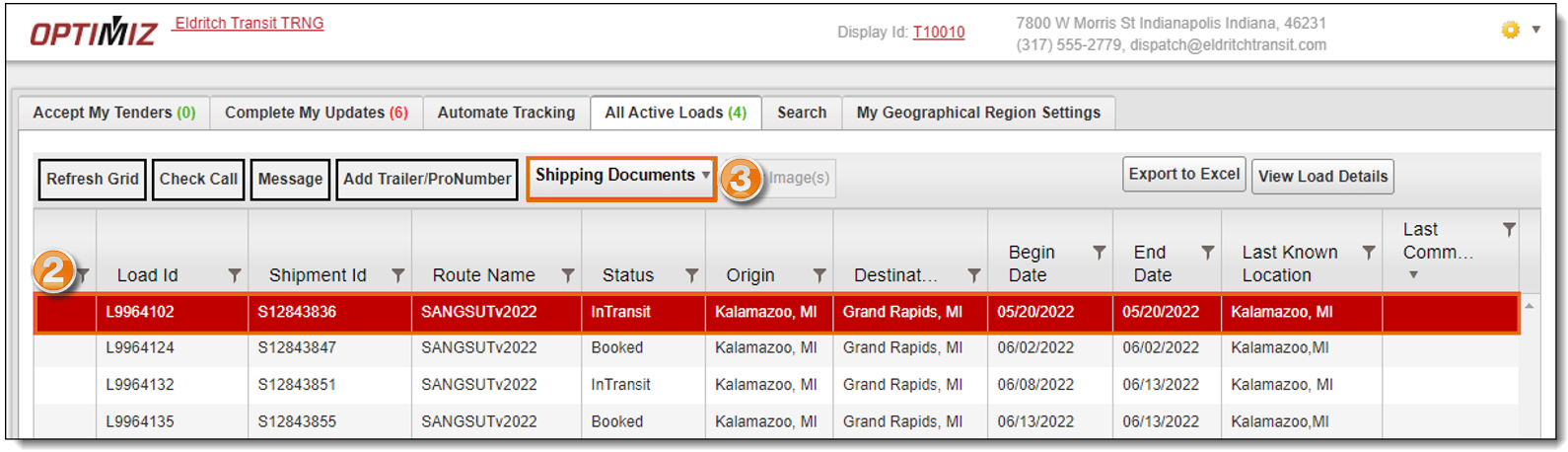
- Search for and select a load from the results grid. See Performing Searches
- Click the Shipping Documents dropdown menu.
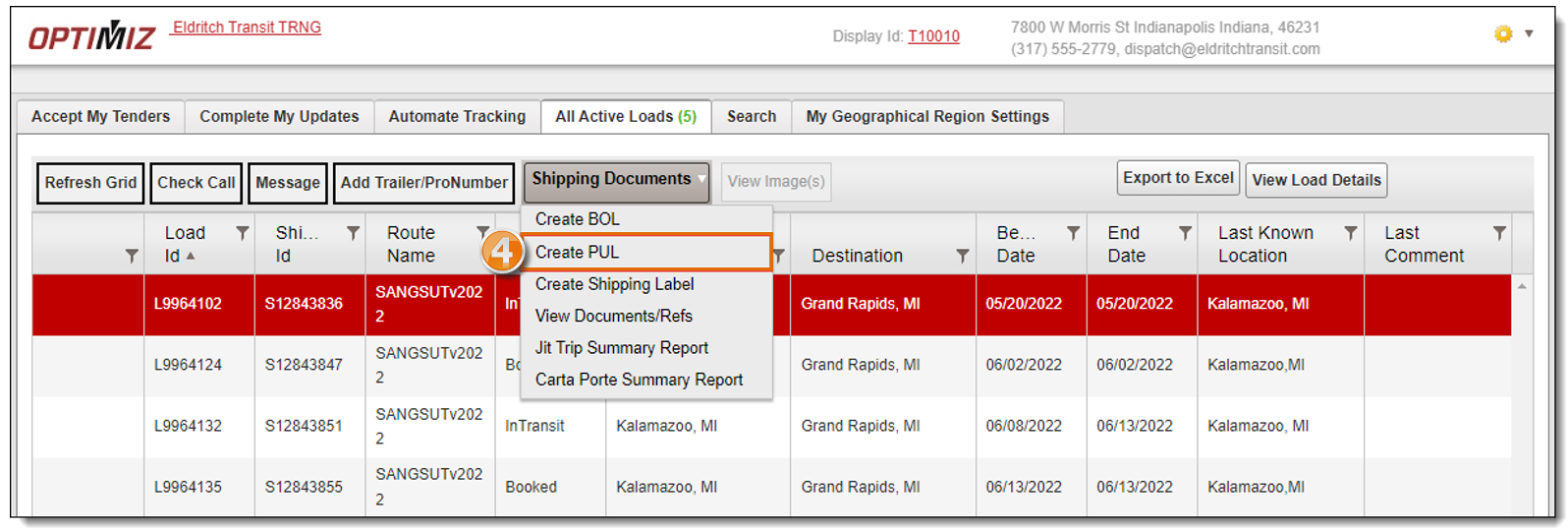
- Select Create PUL.
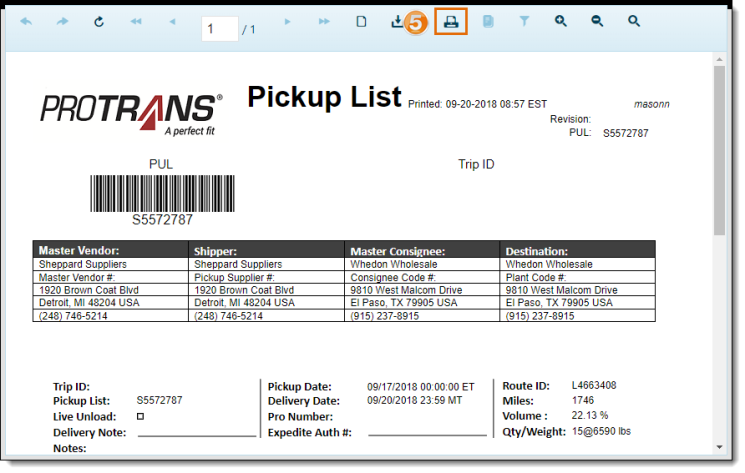
- The requested PUL opens in a separate page. Click the Print icon.
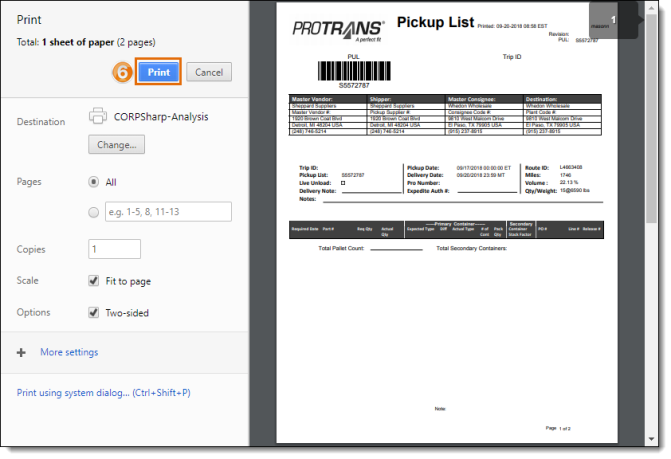
- Click Print.
To Print Multiple PULs:
- Access the Carrier Portal. See Log In to the Carrier Portal for details.
- Search for and select multiple loads from the results grid by holding down Ctrl and clicking each load. See Performing Searches
- Hover your mouse over the Shipping Documents button.
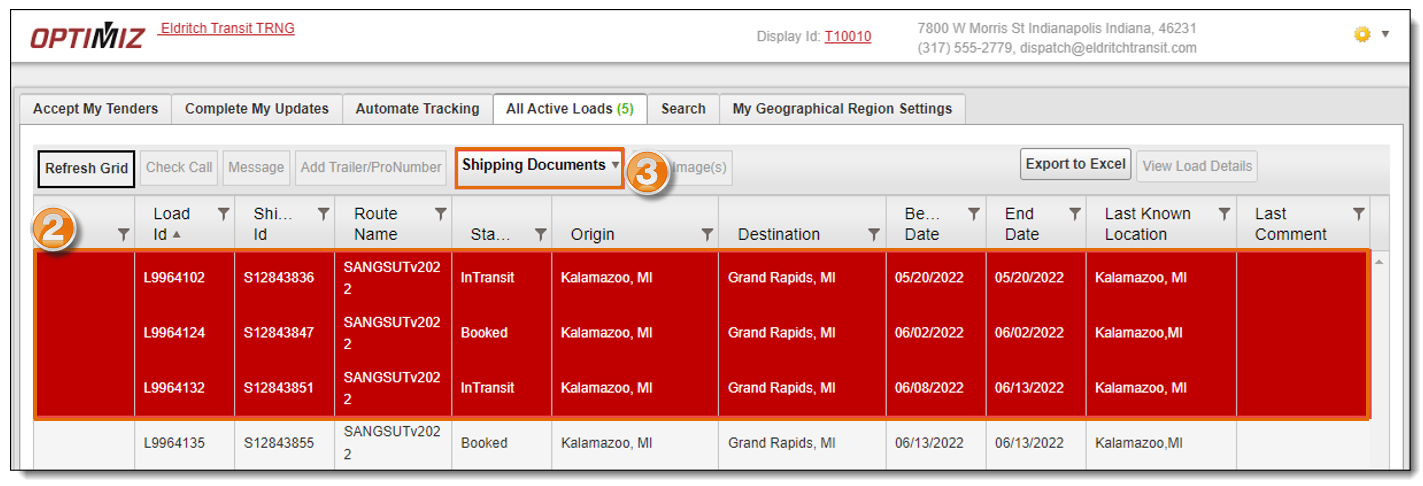
- Repeat steps 4 through 6 of To Print a PUL above.
Result
The PULs are created and are available to view or print.
Related Topics
Now that you know more about Print a Pickup List, you may want to read more about: