Print a Bill of Lading

Overview
Bills of Lading (BOLs) provide the details of a shipment including:
- Shipper
- Consignee
- Carrier
- Piece Count and weight
- Packaging Type
- Class of Freight with NMFC and description, if available
- Special Instructions
- Freight billing information
- Shipment Identifier
BOLs can be printed in the Carrier Portal for single or multiple shipments.
Process
To Print a Bill of Lading:
- Access the Carrier Portal. See Log In to the Carrier Portal for details.
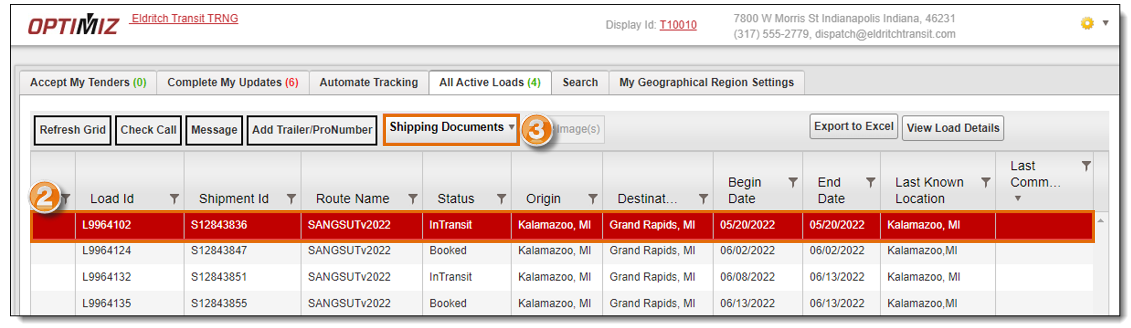
- Search for and select a load from the results grid. See Performing Searches
- Hover your mouse over the Shipping Documents button.
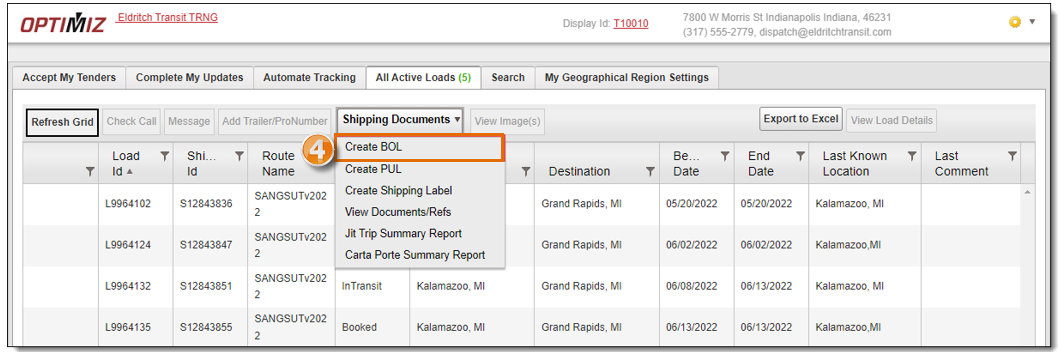
- Click Create BOL.
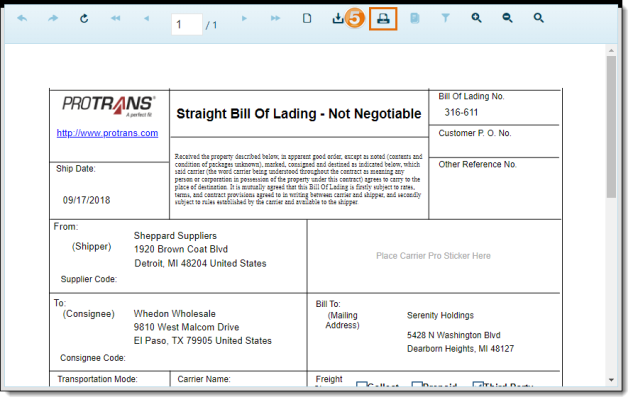
- The requested BOL opens in a new tab. Click the Print icon.
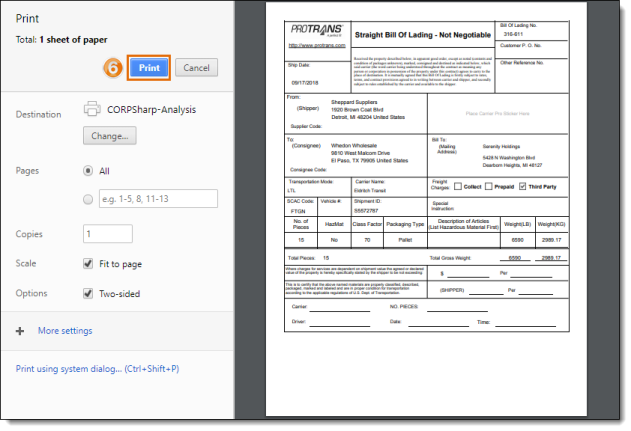
- Click Print.
To Print Multiple Bills of Lading:
- Access the Carrier Portal. See Log In to the Carrier Portal for details.
- Search for and select multiple loads from the results grid by holding down Ctrl and clicking each load. See Performing Searches
- Hover your mouse over the Shipping Documents button.
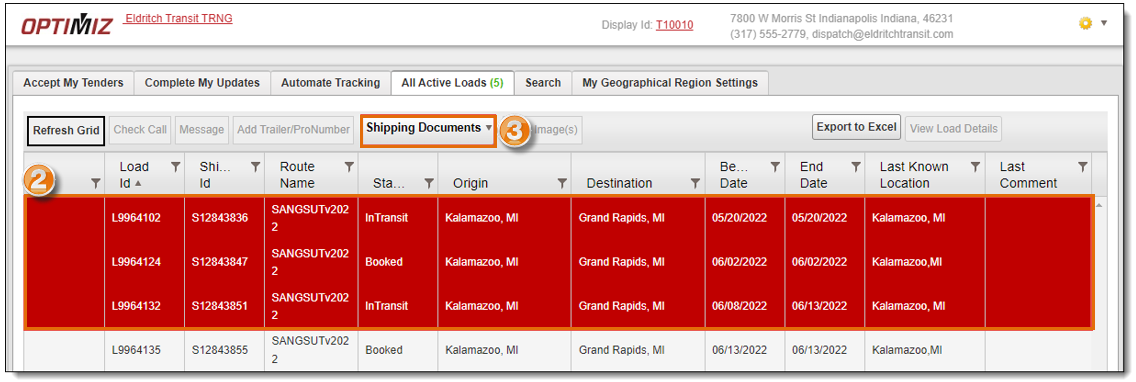
- Follow steps 4 through 6 of To Print a Bill of Lading above.
Result
The BOL or BOLs are created and are available to view or print.
Related Topics
Now that you know more about Print a Bill of Lading, you may want to read more about: