Reject a Carrier Bid for an Expedite
Overview
After a customer has agreed to a quote for an expedite, you need to flag the Bid Requests that were not accepted as Rejected through the QuoteConnect Expedite dashboard.
Process
To Reject a Carrier Bid for an Expedite:
- Access the Expedite dashboard. See QuoteConnect Expedite Dashboard for details.
- Click on the row containing the Spot Quote ID that you want to reject the Bid Response for. (Don't click the Quote ID column, as this will open the Spot Quote Request Entry window.)
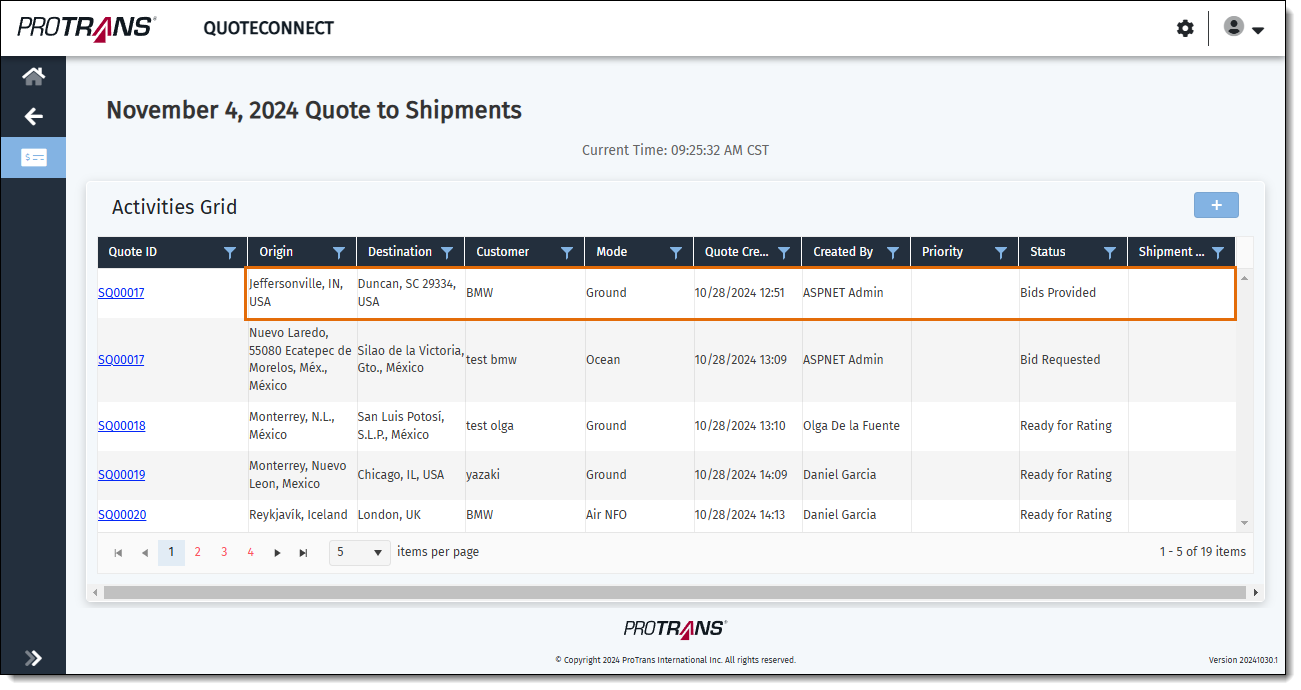
The Manage Bid window opens.
- Click the + icon next to the Bid Request ID that contains the carrier Bid Response you want to reject. A list of carriers who the bid was sent to opens.
- Click the Flag icon next to the Bid Response you want to reject.
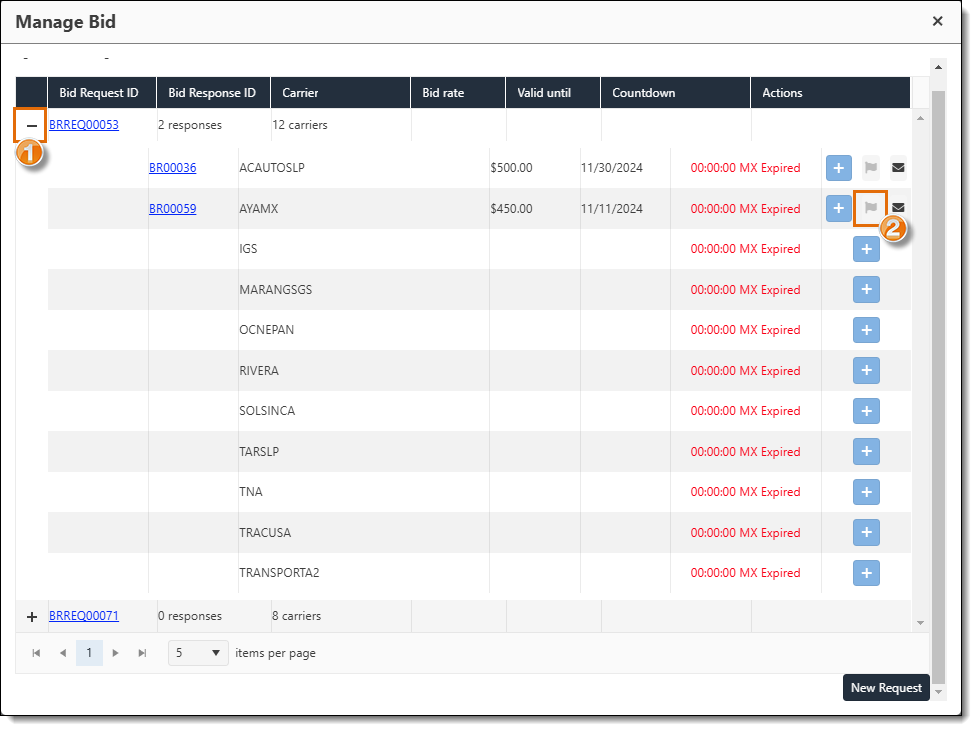
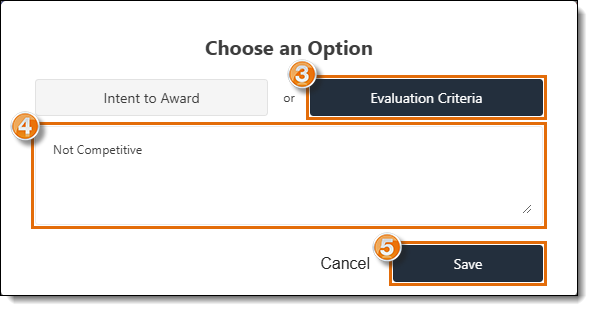
A pop-up window opens.
- Click Evaluation Criteria. The Evaluation Criteria button will turn blue.
- Enter a rejection message in the Notes field to give a reason why the bid was not accepted.
- Click Save.
Result
The pop-up window will close and return to the Manage Bid screen, and the carrier Bid Response will be flagged as Rejected.
Related Topics
Now that you know more about Rejecting a Carrier Bid for an Expedite, you may want to read more about: