Add an Empty Trailer to Inventory
Overview
The working Loads page gives users the ability to add empty trailers to inventory and assign them to dock doors or yard spaces.
When Should I Add an Empty Trailer to Inventory?
You should add an empty trailer to inventory when a trailer is unloaded or a carrier delivers an empty trailer to be loaded.
Prerequisites
Before you can add an empty trailer to inventory, you must:
- Access the Working Loads screen. See Working Loads for details.
Process
To Add an Empty Trailer to Inventory:
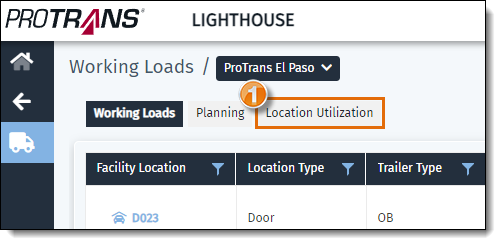
- From Working Loads, click on the Location Utilization tab.
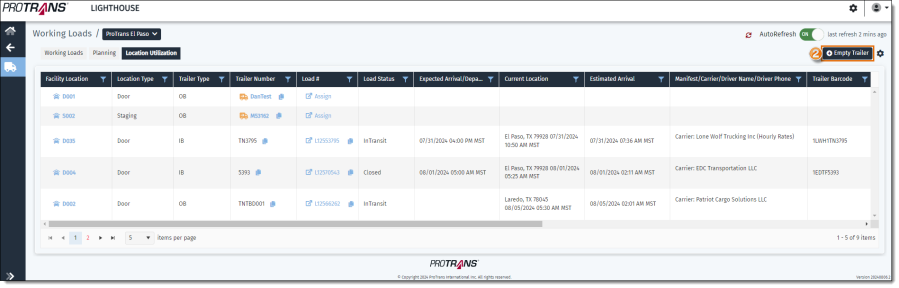
- Then click + Empty Trailer.
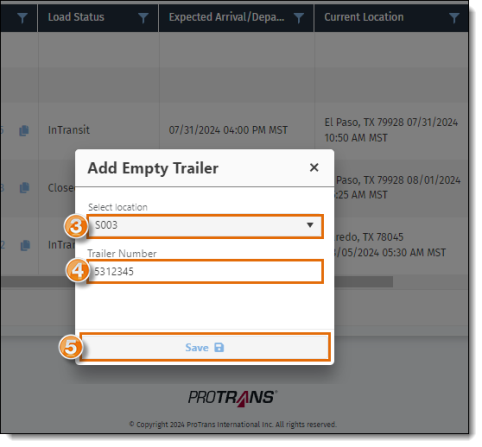
- A pop-up window will open. Type in and/or select the location you want to assign the trailer to from the list.
- Enter the Trailer Number.
- Click Save.
Result
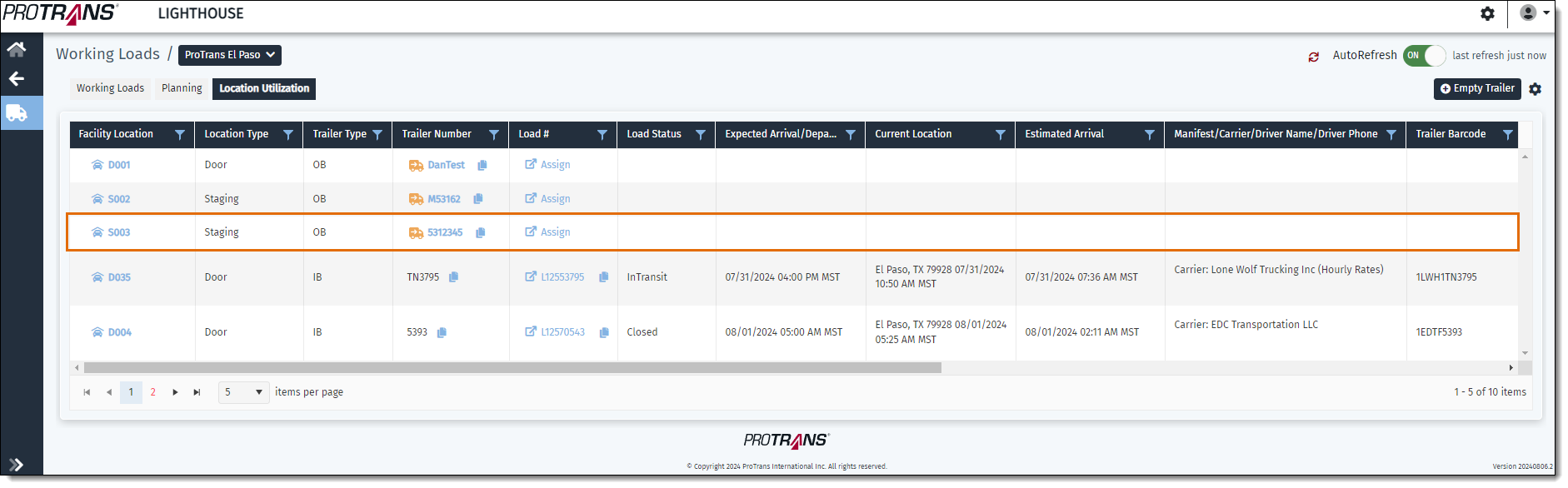
The trailer is added to inventory and assigned to the dock door or yard space selected. The grid will refresh and display the trailer that was added.
Related Topics
Now that you know more about adding an empty trailer to inventory, you may want to read more about: