Dispatch an Empty Trailer
Overview
The working Loads page gives users the ability to dispatch empty trailers to carriers after they are unloaded.
Prerequisites
Before you can Dispatch an Empty Trailer, the trailer must be showing on the Location Utilization grid. See Add an Empty Trailer to Inventory for details.
Process
To Dispatch an empty trailer to a Carrier:
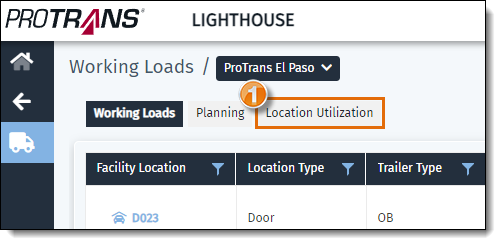
- From Working Loads, click on the Location Utilization tab.
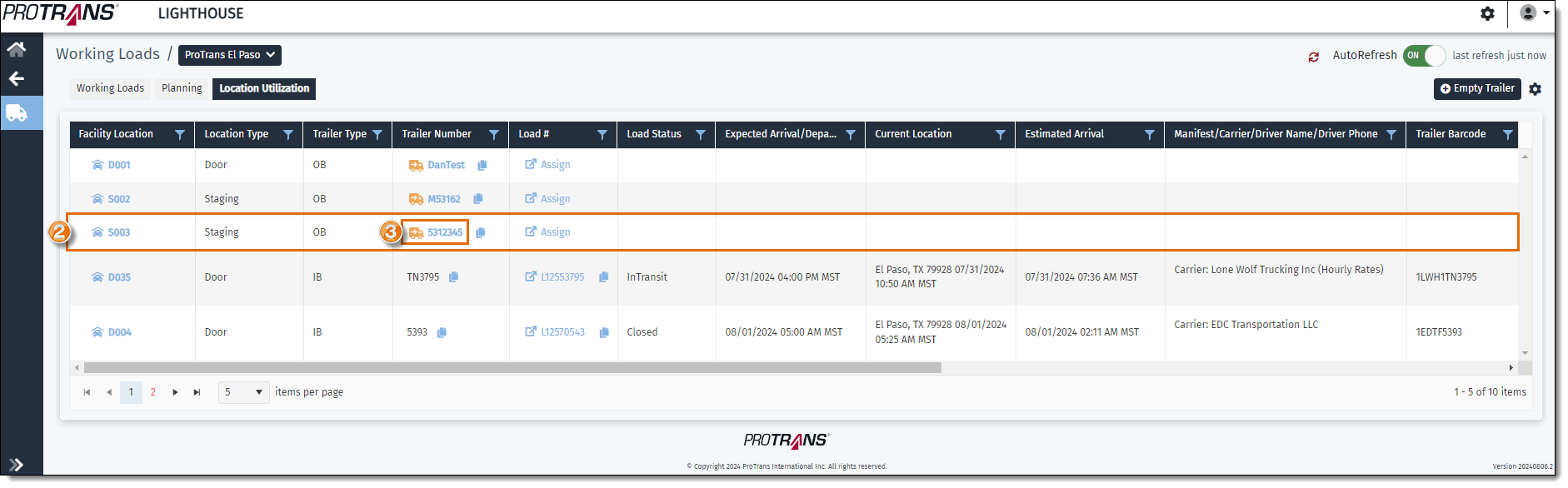
- Identify the trailer in the grid you want to dispatch to the carrier.
- Click on the Trailer Number.
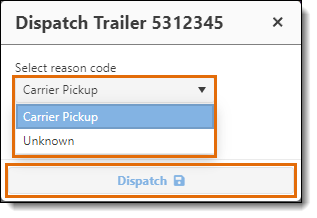
- A pop-up window will open. Select a reason code from the list for why the trailer is being dispatched.
- Select Carrier Pickup if the carrier is picking up the empty trailer. This is the default option.
- Select Unknown to remove an empty trailer from the list that was entered incorrectly.
- Click on Dispatch.
Result
The dispatched trailer disappears from the grid.
Related Topics
Now that you know more about dispatching an empty trailer, you may want to read more about: