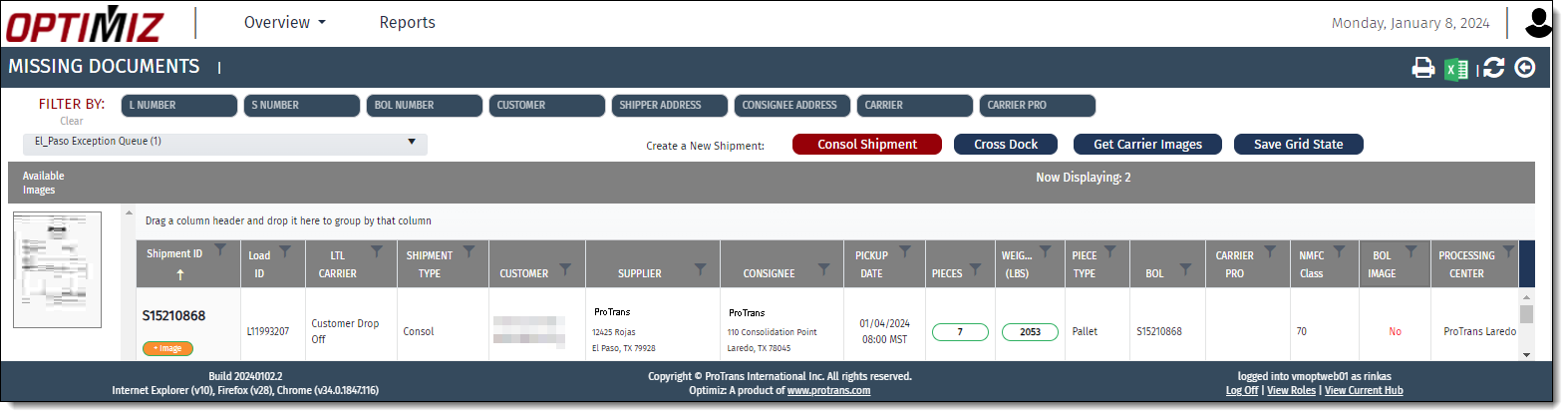
Missing Documents
Overview
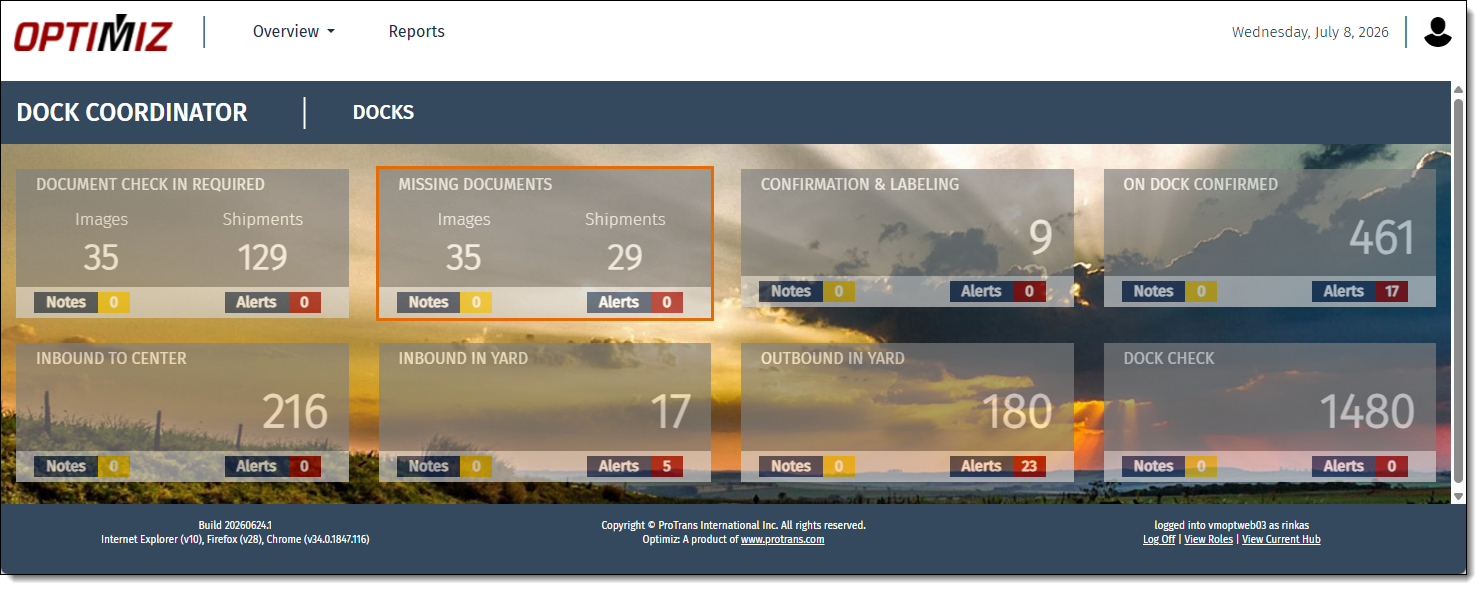
The Missing Documents tile is found in the My Dock dashboard and contains a list of shipments that are missing required documents. This display is based on the dock to which the user is currently assigned. The dock assignment can be changed if necessary. See Filter Tiles by Dock for more information.
Process
To Access Missing Documents:
- Open the My Dock Dashboard. See Access My Dock Dashboard for details.
- Click Missing Documents.
Result
The Missing Documents page opens.