Add a Complemento Carta Porte Format

Overview
Government regulations in Mexico requires that any carrier that moves freight in Mexican territory submits a Complemento Carta Porte format.
Users are able to view, add, and remove a Complemento Carta Porte from existing shipments from the Tracking page. Any items included as a reference are viewable to all relevant users, including the customer, supplier, carrier, and ProTrans employees.
Process
To Add a Complemento Carta Porte Format:
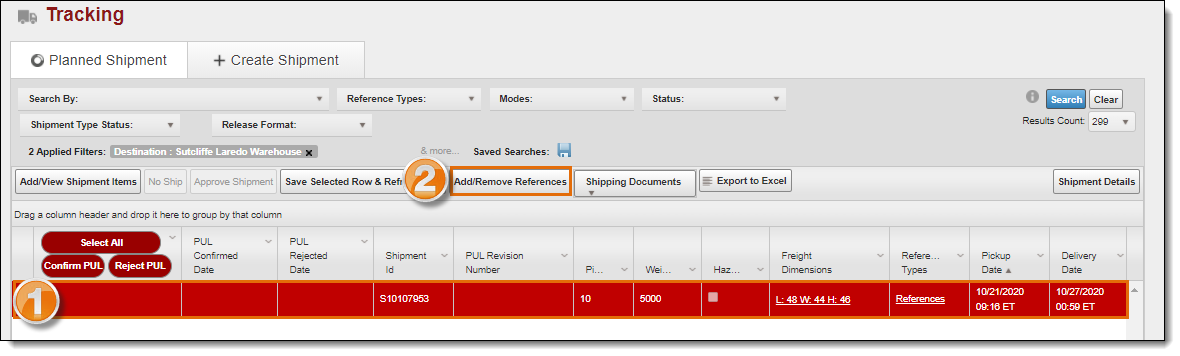
- Select the desired shipment.
- Click Add/Remove References.
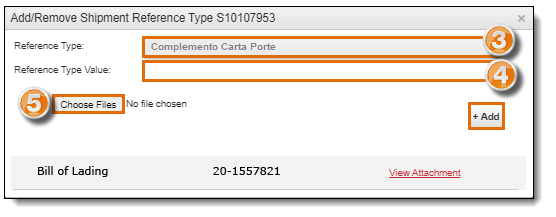
- Select the Reference Type from the dropdown menu.
- Enter the Reference Type Value. This value will have the legend "Complemento Carta Porte" and the S#.
- Click Choose File.
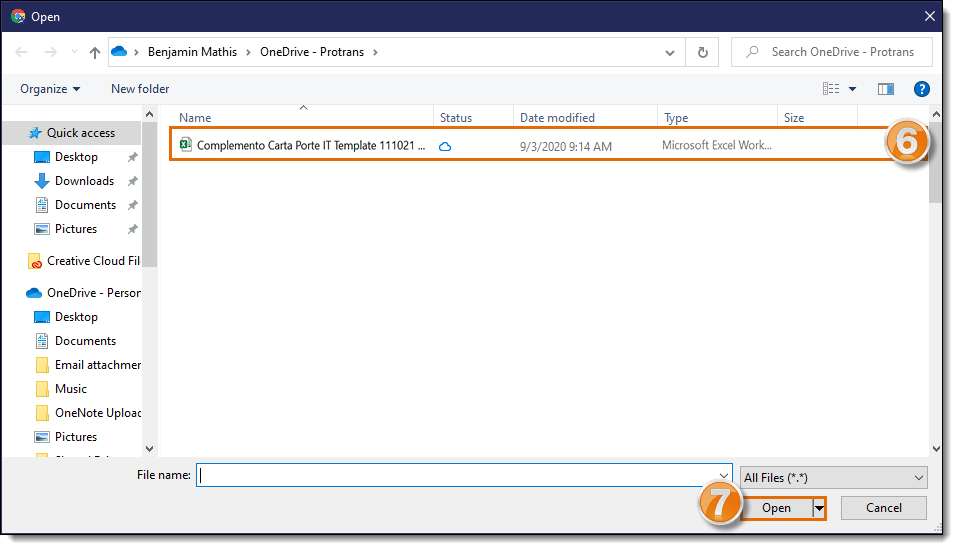
- Select the file you want to upload.
- Click Open.
-
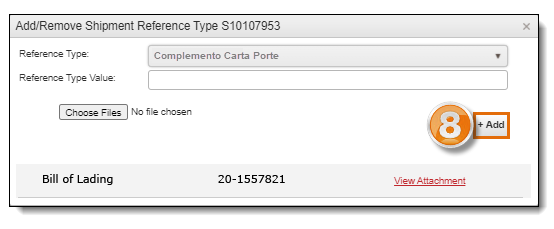
Click Add to upload the document.
Result
The Complemento Carta Porte format has been saved and is immediately available throughout Optimiz.
An automatic email will be sent to the assigned carrier with this information for them to issue the Complemento Carta Porte to comply with the Mexican regulation.