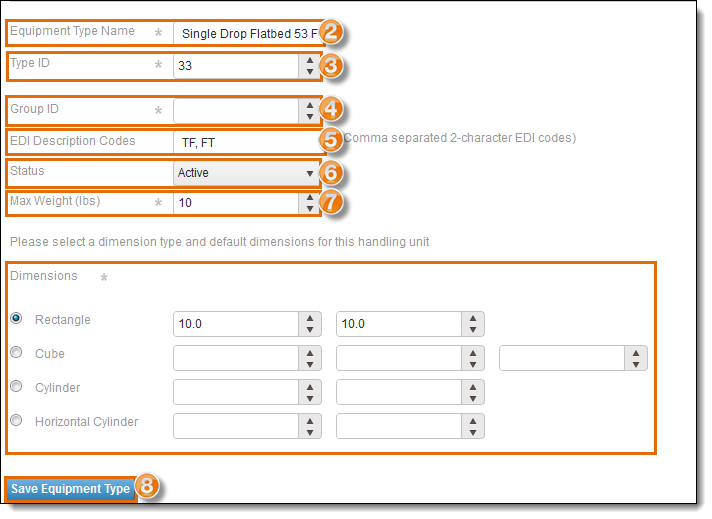
Add an Equipment Type
To Add an Equipment Type
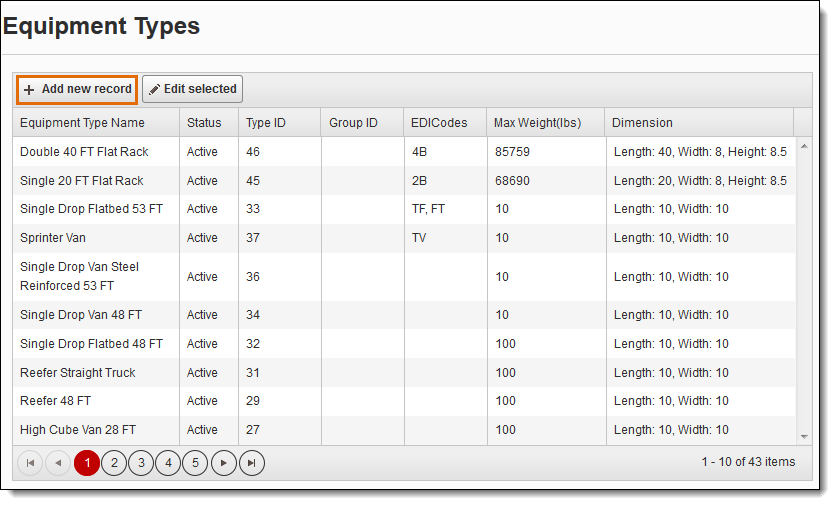
- Click + Add new record from the Equipment Types dialog box.
The Create New Equipment dialog box displays.
- Enter the Equipment Type Name (required).
- Enter the Type ID (required).
- Enter the Group ID (required).
- Enter the EDI Description Code, if needed. More than one EDI Description code can be entered if they are separated by a comma (optional).
- To make it active in Optimiz, select Active from the Status menu.
- Enter the Max Weight in pounds (required).
- Select the Dimensions Type and enter the default dimensions for the handling unit.
- Click Save Equipment Type.