Performing Searches

Overview
Users can search for tenders or loads in Optimiz that match specific criteria.
Search By
These criteria are available when searching for tenders or loads.
| Criteria | Description |
|---|---|
| Search Type | Search for a Load or a Tender. |
| Load ID | Enter a specific Load ID to return a single result. |
| Status | Choose none, one, or multiple statuses; different status options display according to which Search Type is selected. See table below for an explanation of each status option. |
| Load Begin Date | Displays loads or tenders which begin on a specific date. |
| Load End Date | Displays loads or tenders which end on a specific date. *Note: Entering both a begin date and an end date doesn't search a date range and will only yield results that exactly match both criteria. |
| City | Displays loads or tenders that begin or end at a particular city. |
| State | Displays loads or tenders that begin or end in a particular state |
| Zip Code | Displays loads or tenders that begin or end in a particular zip code. |
Status Options
These criteria are available when searching for tenders or loads.
| Status | Description |
|---|---|
| Booked | The carrier has accepted the tender. |
| Cancelled | The order was submitted but was cancelled before it could be reviewed or picked up. |
| Closed | All required check calls and paperwork have been submitted for the load. |
| Delivered | The load has had all its required check calls submitted but required paperwork (such as POD confirmation) is missing. |
| In Transit | The first Stop Departure check call has been completed for the load, but there are still more check calls required. |
Process
To Search for a Load or Tender:
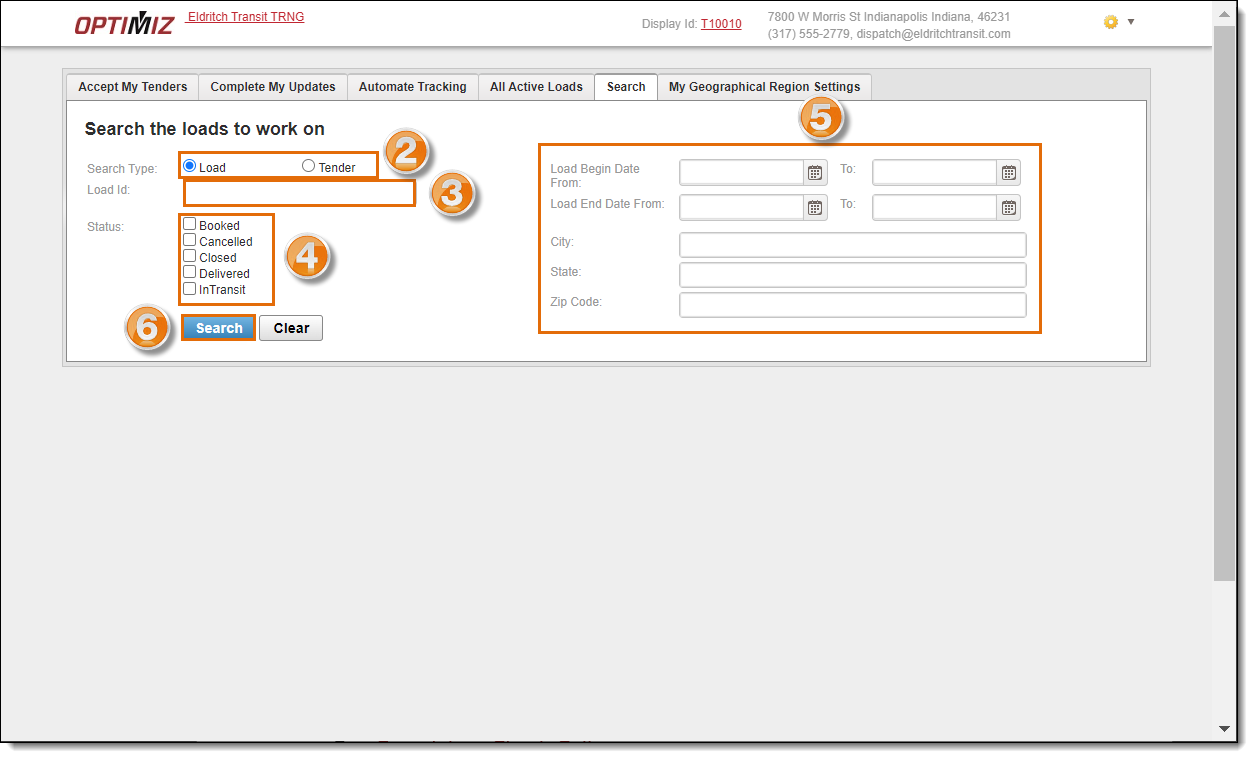
- On the Carrier Portal homepage, click Search.

- Select the Search Type (Load or Tender).
- Enter a specific Load ID, if needed.
- Select one or more Status options. Unclick the InTransit option to see all loads. See table above for details.
- Add additional search information criteria, if needed.
- Click Search.
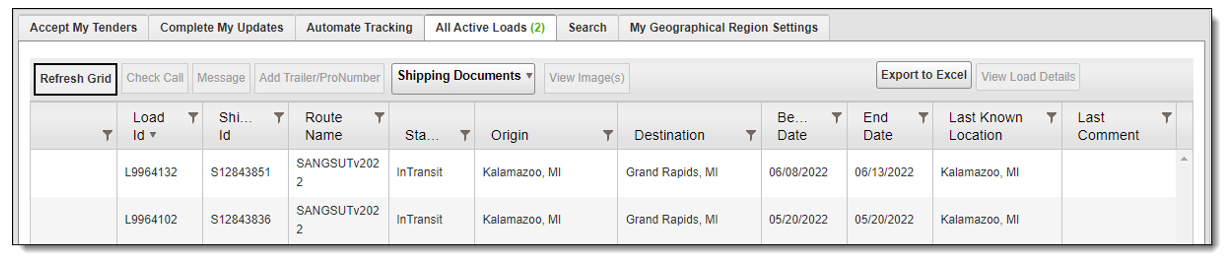
The results display on the All Active Loads or Accept My Tenders pages.