Duplicate Shipments, ASNs, and Loads
Overview
The Copy Selected button in Shipment Management allows users to efficiently create duplicates of existing shipments. The duplication function creates exact copies of the shipment, its pickup load, and its associated ASNs.
Only active shipments can be duplicated. Reference Types from the original shipment, load and ASN will not be included in the duplicate.
To Create a Duplicate from a Shipment, and ASN and a Load:
- Hover the mouse over Shipments.
- Click Shipment Management.

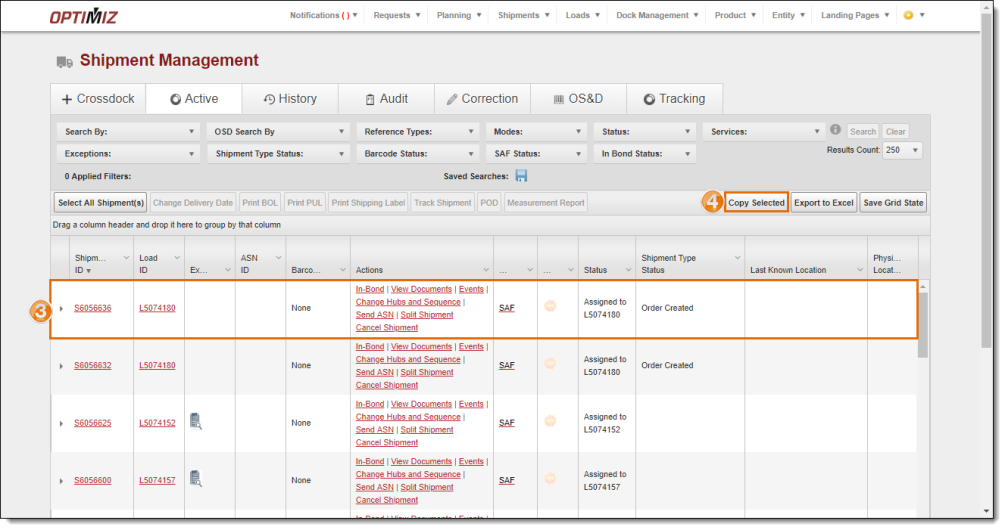
- Select the shipment to be copied.
- Click Copy Selected.
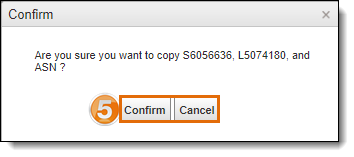
- Click Confirm to create a duplicate the shipment / load / ASN, or click Cancel to exit without saving.
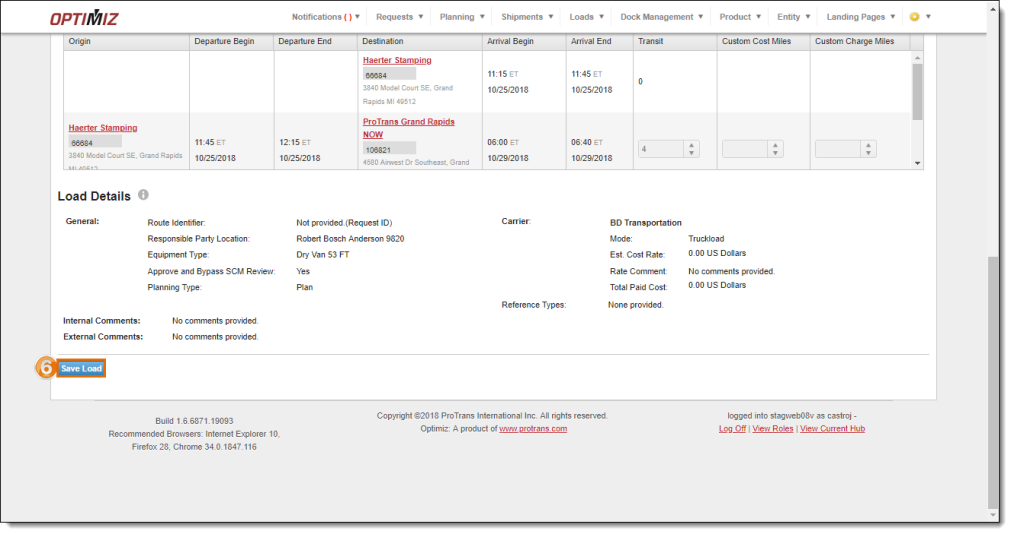
The Load Entry page opens. It begins in Copy Mode, and the user will not be able to make changes until it is saved.
- Click Save Load.
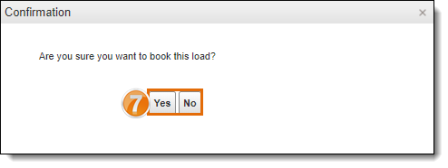
- Click Yes to book the duplicated load or click No to exit without changes, if needed.
Result
A duplicate for the shipment, load and ASN has been created.