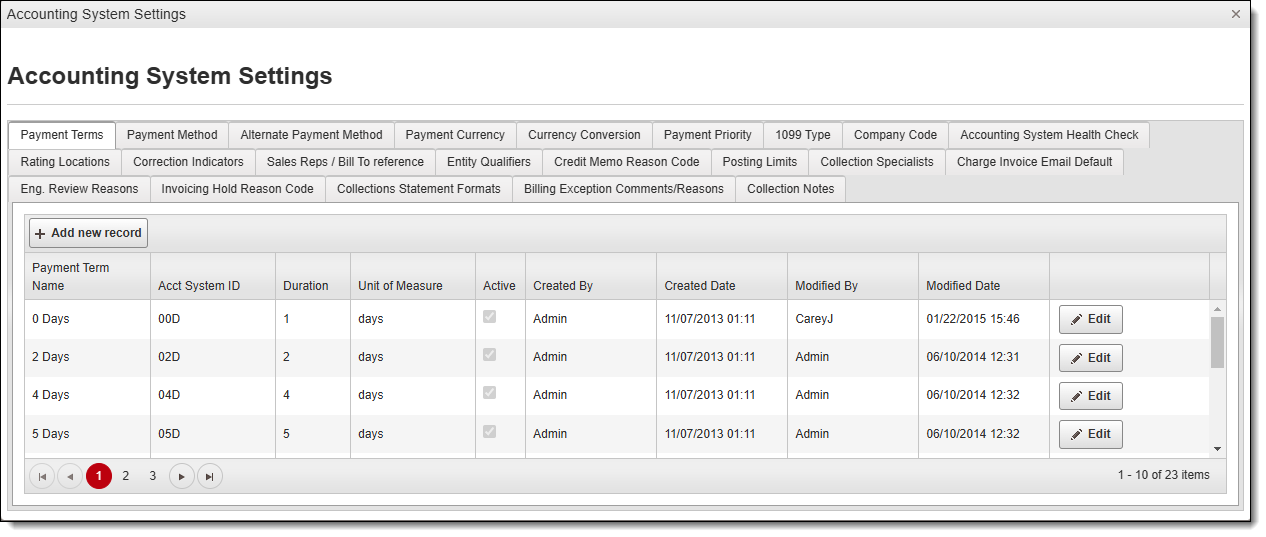
Accounting System Settings Overview
Master data grids have been created with links to an external accounting system with the following editing options:
- Payment Terms
- Payment Method
- Alternate Payment Method
- Payment Currency
- Currency Conversion
- Payment Priority
- 1099 Type
- Company Code
- Accounting System Health Check
- Rating Locations
- Correction Indicators
- Sales Reps / Bill To Reference
- Entity Qualifiers
- Credit Memo Reason Code
- Posting Limits
- Collection Specialists
- Charge Invoice Email Default
- Eng. Review Reasons
- Invoicing Hold Reason Code
- Collections Statement Formats
- Billing Exception Comments/Reasons
- Collection Notes
Only Accounting Managers have access to add and/or edit these attributes and account application reference IDs. All other users have view-only rights.
To Access Accounting System Settings:
- Hover the cursor over the gear on the Optimiz main menu.
- Click Settings.
- Click Accounting System Settings under Application Settings.
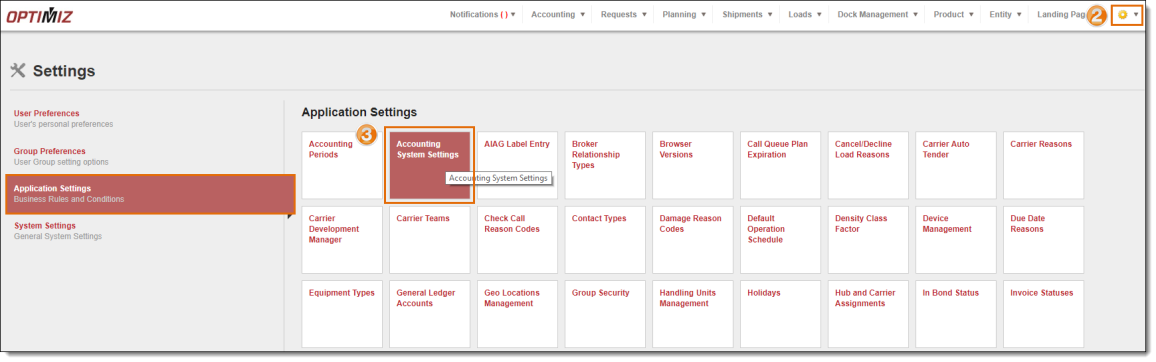
Result
The Accounting System Settings page opens. Payment Terms is the default display.